

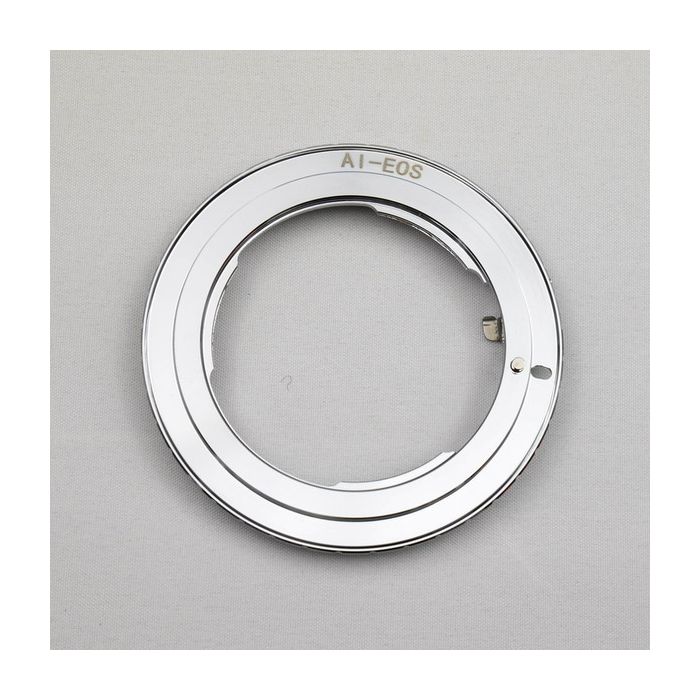
ZWO Nikon AI to Canon EOS Adapter
This item is discontinued by the manufacturer and is no longer available.
Stock count is accurate & shown in real time.
- This item is out of stock.
- Sign up for back-in-stock alerts to be notified when this item becomes available (account login required).
- This item is out of stock.
- Sign up for back-in-stock alerts to be notified when this item becomes available (account login required).
Attach your ZWO cooled or uncooled camera to Nikon AI camera lenses via this adapter. To do this, you will need to combine this adapter with ZWO's Canon EOS-T2 adapter (sold separately). Your Nikon lens will be attached to this adapter on one side. The other side of this adapter will be connected to the EOS-T2 adapter, which in turn would connect to the ASI camera body.
Additional Info
Steps to attach this adapter to the Canon EOS-T2 Adapter:
1. Make sure the red spot is on the same side

2. Screw it on it

3. Attach the lens

Steps to remove this adapter from the Canon EOS-T2 Adapter:
1. Press down the bar and screw off the lens and AI-EOS adapter from EOS

2. Press down here and screw the lens

Attach your ZWO cooled or uncooled camera to Nikon AI camera lenses via this adapter. To do this, you will need to combine this adapter with ZWO's Canon EOS-T2 adapter (sold separately). Your Nikon lens will be attached to this adapter on one side. The other side of this adapter will be connected to the EOS-T2 adapter, which in turn would connect to the ASI camera body.
Attach your ZWO cooled or uncooled camera to Nikon AI camera lenses via this adapter. To do this, you will need to combine this adapter with ZWO's Canon EOS-T2 adapter (sold separately). Your Nikon lens will be attached to this adapter on one side. The other side of this adapter will be connected to the EOS-T2 adapter, which in turn would connect to the ASI camera body.
Additional Info
Steps to attach this adapter to the Canon EOS-T2 Adapter:
1. Make sure the red spot is on the same side
2. Screw it on it
3. Attach the lens
Steps to remove this adapter from the Canon EOS-T2 Adapter:
1. Press down the bar and screw off the lens and AI-EOS adapter from EOS
2. Press down here and screw the lens