

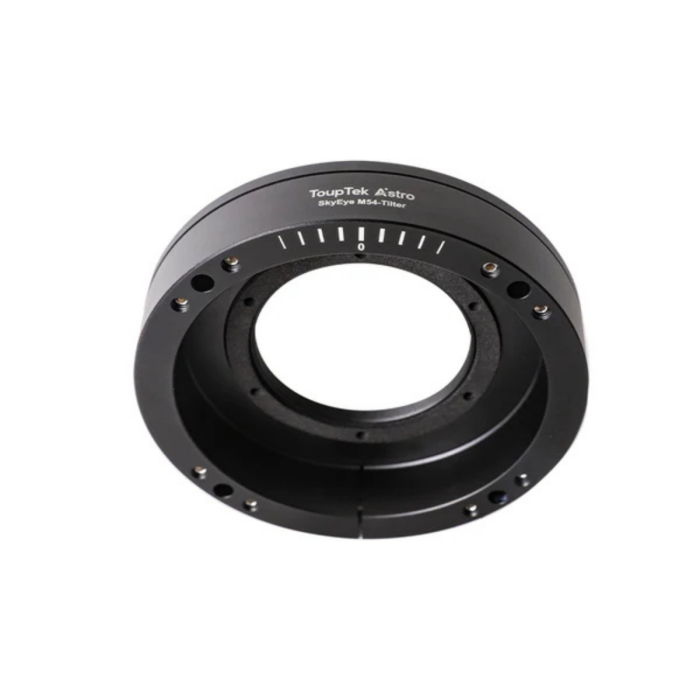
ToupTek M54 Tilter for SkyEye Cameras
Stock count is accurate & shown in real time.
- This item is out of stock.
- Sign up for back-in-stock alerts to be notified when this item becomes available (account login required).
- This item is out of stock.
- Sign up for back-in-stock alerts to be notified when this item becomes available (account login required).
Contiguous US / Lower 48:
Free shipping applies to orders over $50 using our chosen carrier/method. Faster paid options are available at checkout.
Alaska, Hawaii & US Territories:
Free shipping applies to many—but not all—products. Enter your ZIP code in cart or upon checkout to confirm options and costs.
International:
International orders do not qualify for free shipping. Shipping, duties, brokerage, tariffs, and taxes are the customer’s responsibility. Some items may be restricted due to export, size, or manufacturer limitations.
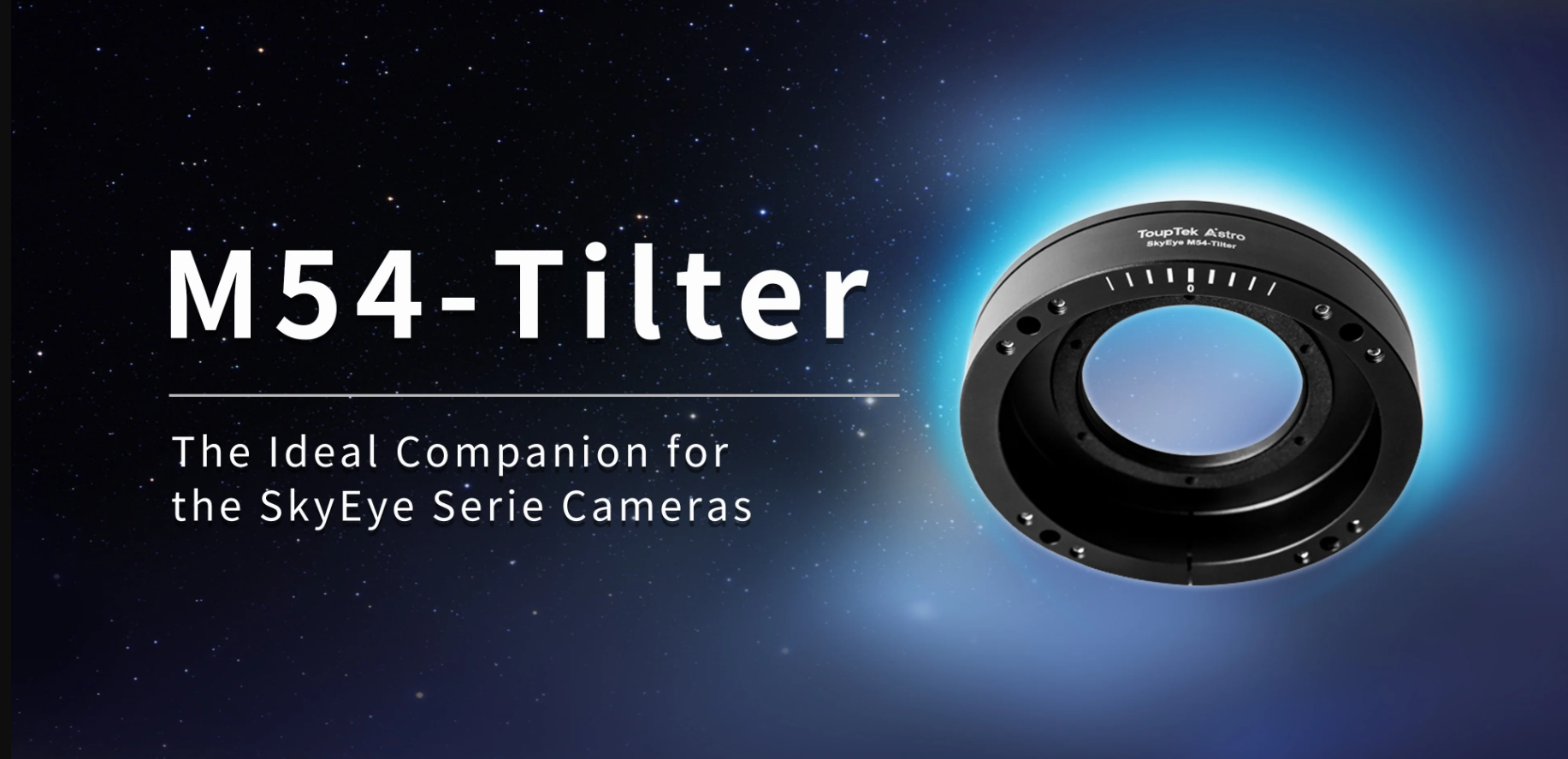
ToupTek M54 Tilter: An Ideal Companion for the SkyEye Camera Series
Engineered specifically for the entire SkyEye series (including the SkyEye62AM/AC and SkyEye24AC), this high-quality aluminum alloy adjustment ring features a robust, precision-machined design for long-term stability and a four-point CMOS alignment system that ensures high-precision sensor orthogonal tuning; it also integrates a central "0" scale alongside intuitive alignment guide lines to deliver a significantly wider, more effortless adjustment range and a seamless installation experience.
Installation Steps
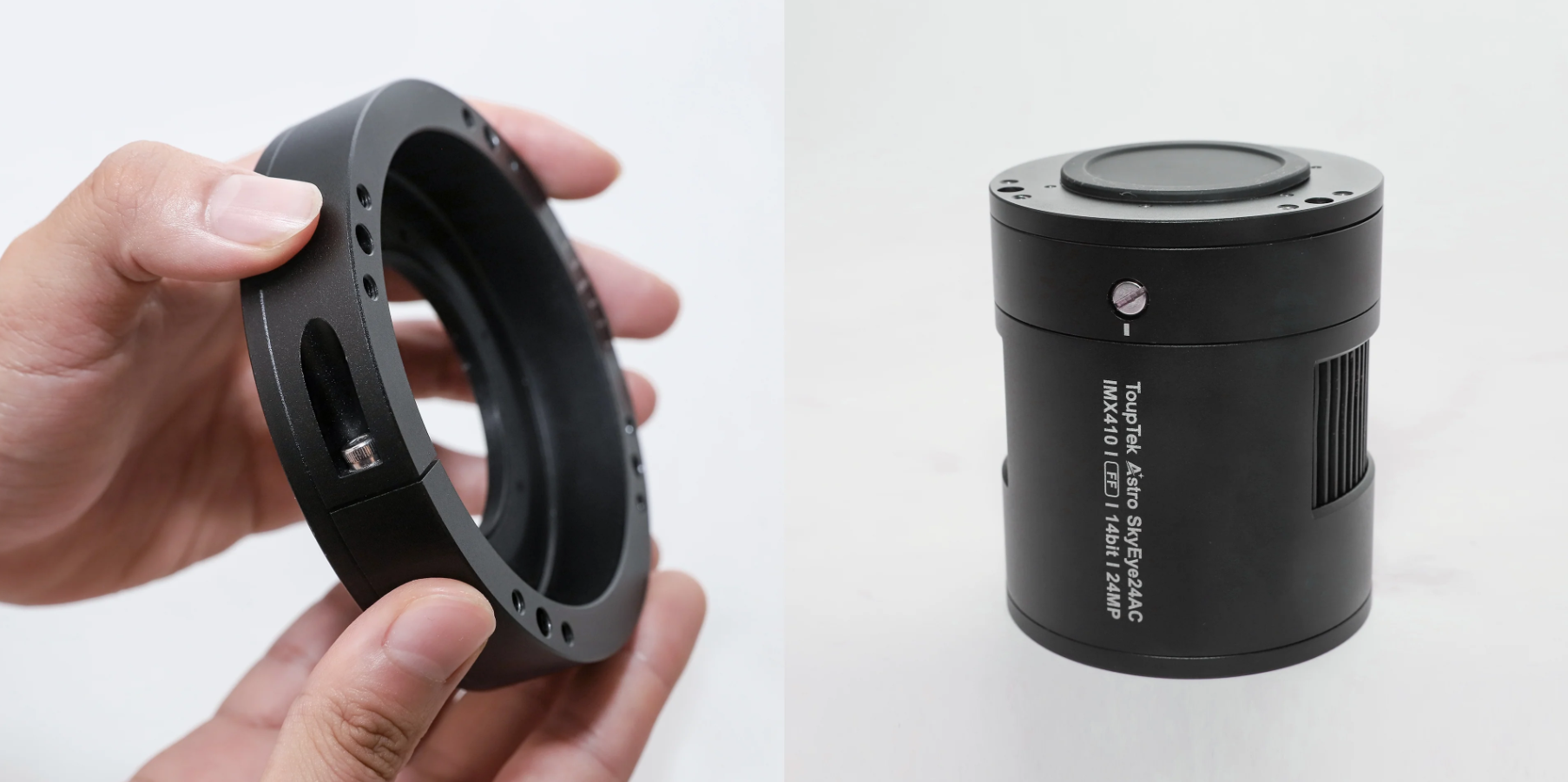
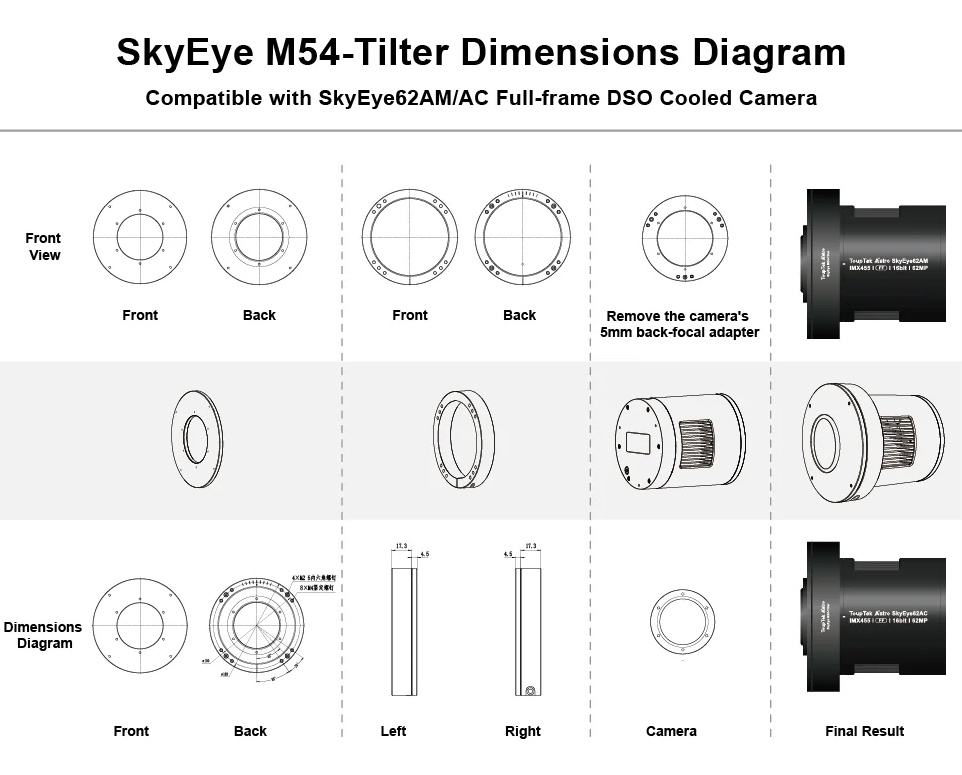
Standard Back-Focus Installation Steps for SkyEye62AM/AC DSO Cooled Full-Frame Camera. Inspect the M54-Tilter, SkyEye62AM/AC camera body, and screw holes.
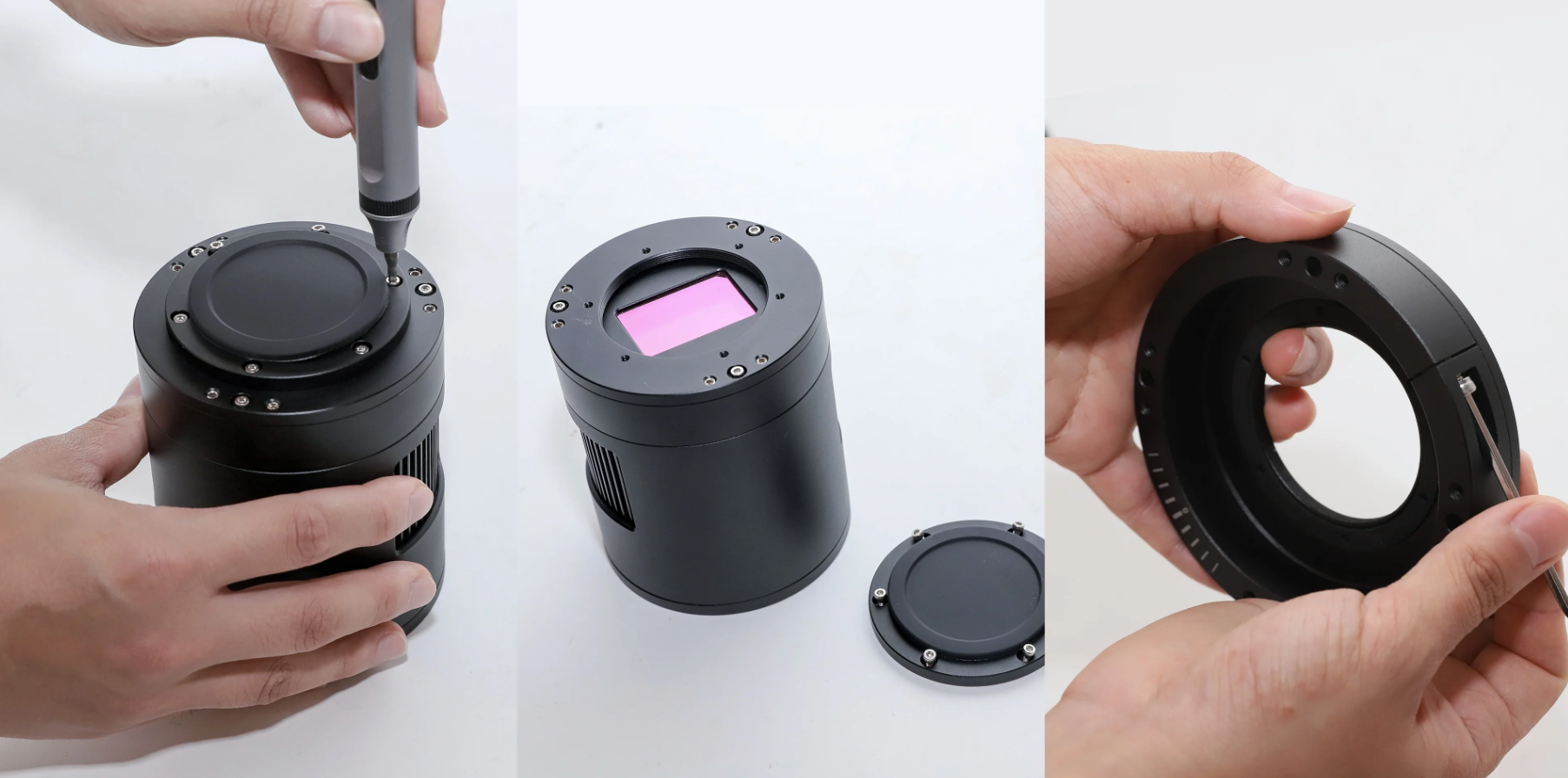
Remove the 5mm back-focal adapter from the SkyEye62AM/AC camera and slightly adjust the tightness of the M54-Tilter screws to facilitate assembly with the camera.
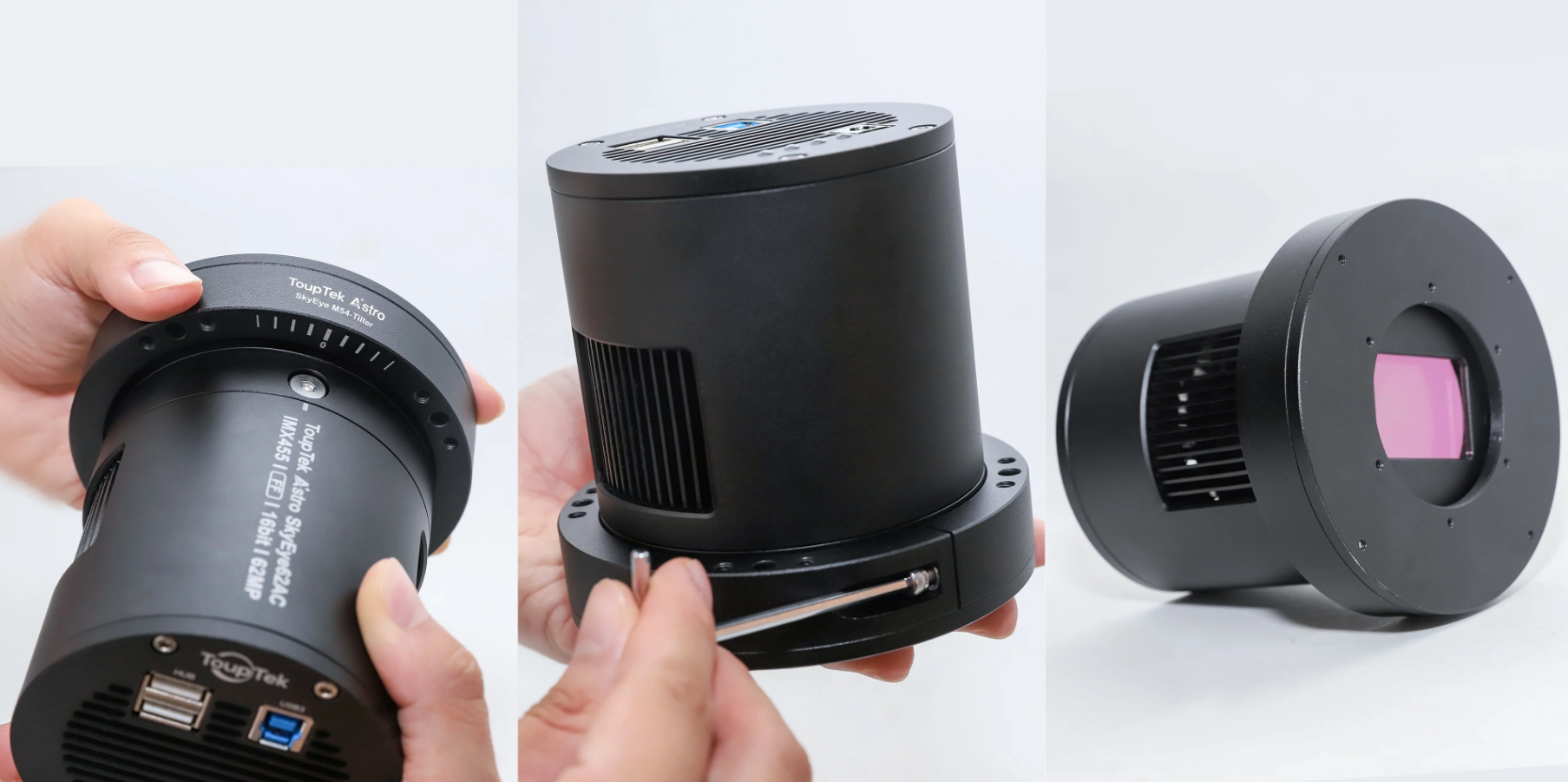
Assemble the M54-Tilter and the SkyEye62AM/AC camera. Align the M54-Tilter with the camera body, ensuring the central "0" scale and camera guide lines match. Tighten the screws to secure the components.
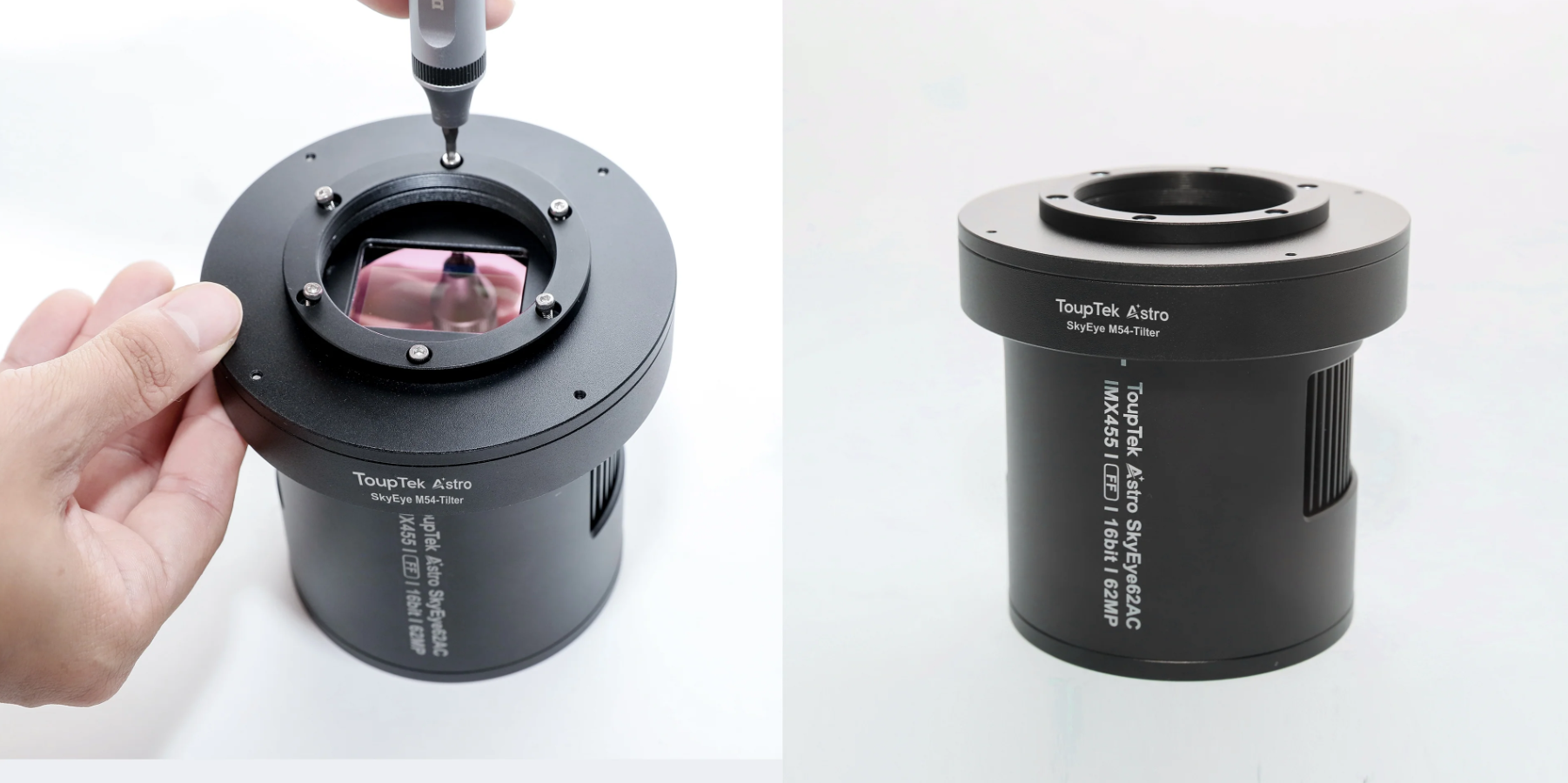
Reinstall the SkyEye62AM/AC camera's 5mm back-focal adapter, completing the assembly of the M54-Tilter and the camera, ensuring everything is securely attached.
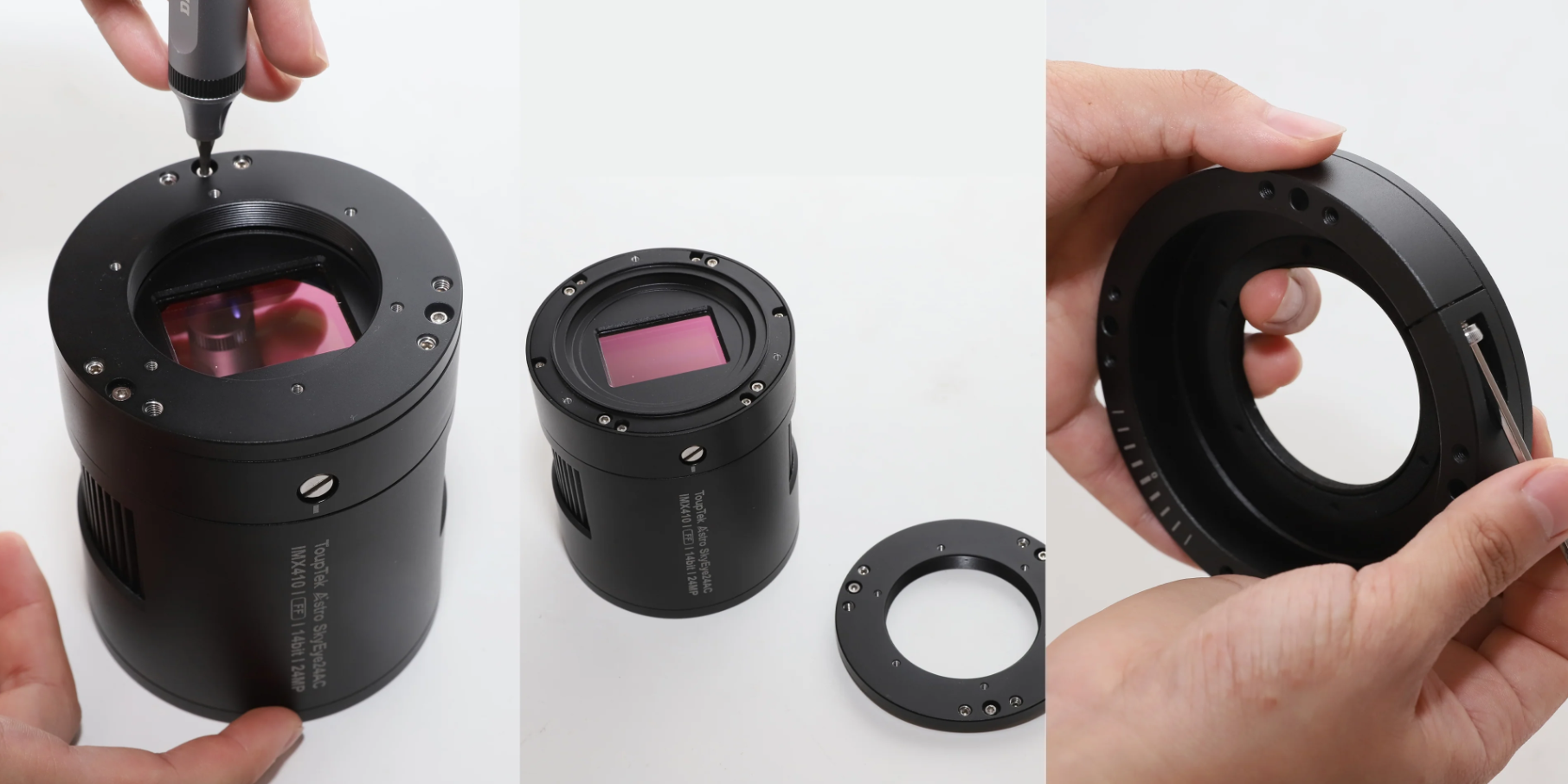
Assemble the M54-Tilter and the SkyEye24AC camera. Align the M54-Tilter with the camera, ensuring the central "0" scale and camera guide lines match. Tighten the screws to secure the components, completing the assembly of the M54-Tilter and camera, ensuring everything is securely attached.
Mechanical Dimensions
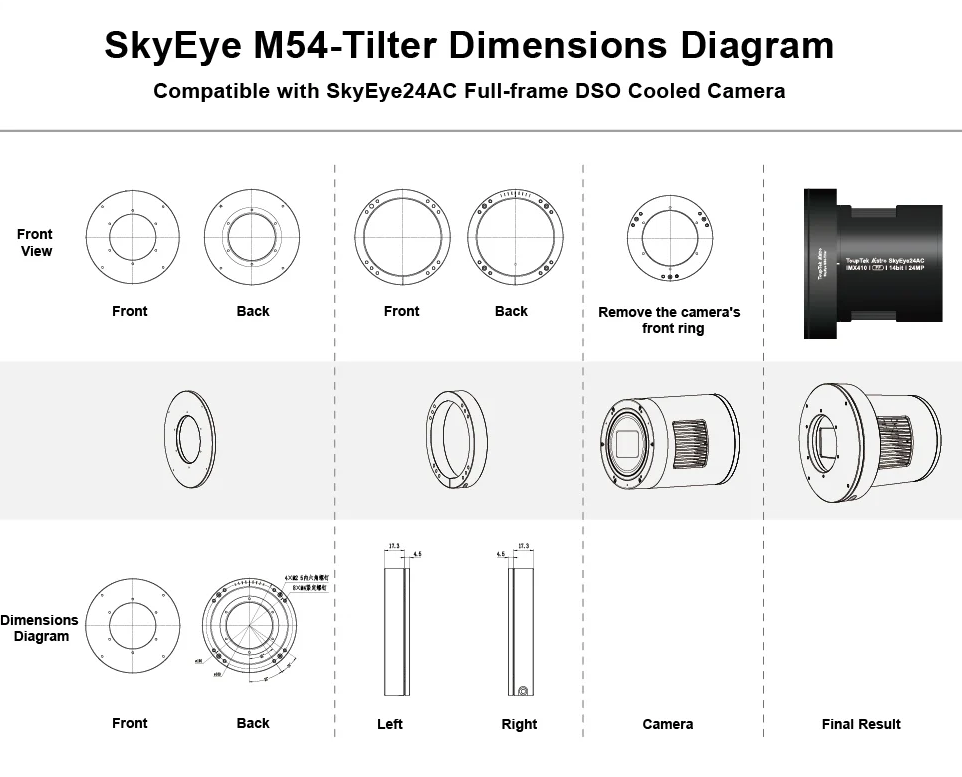
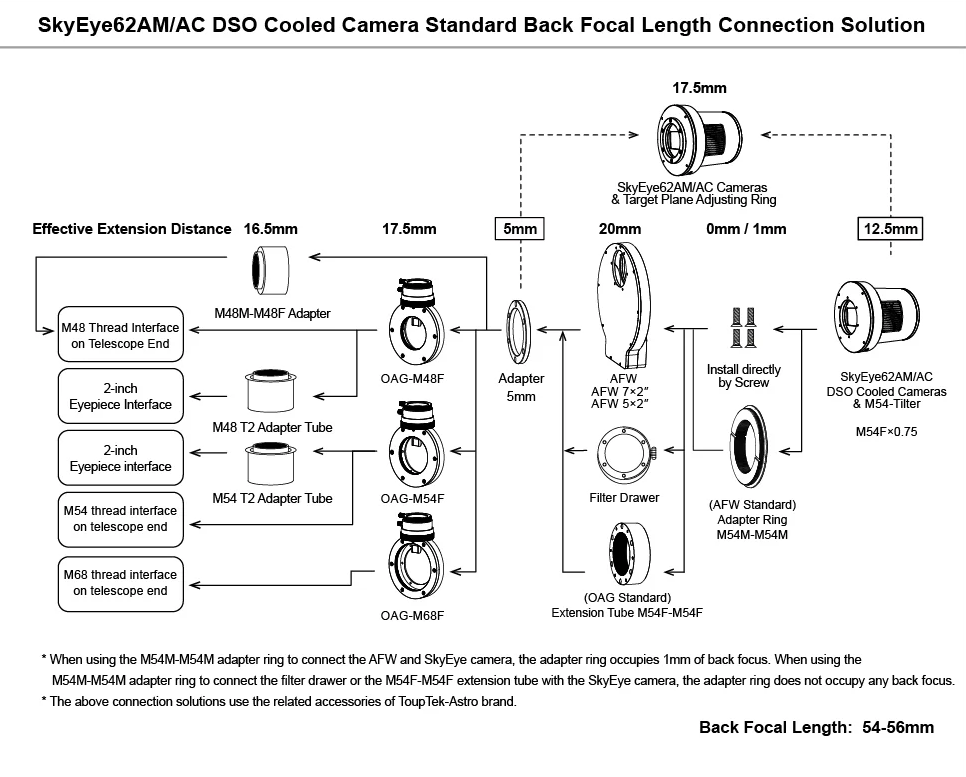
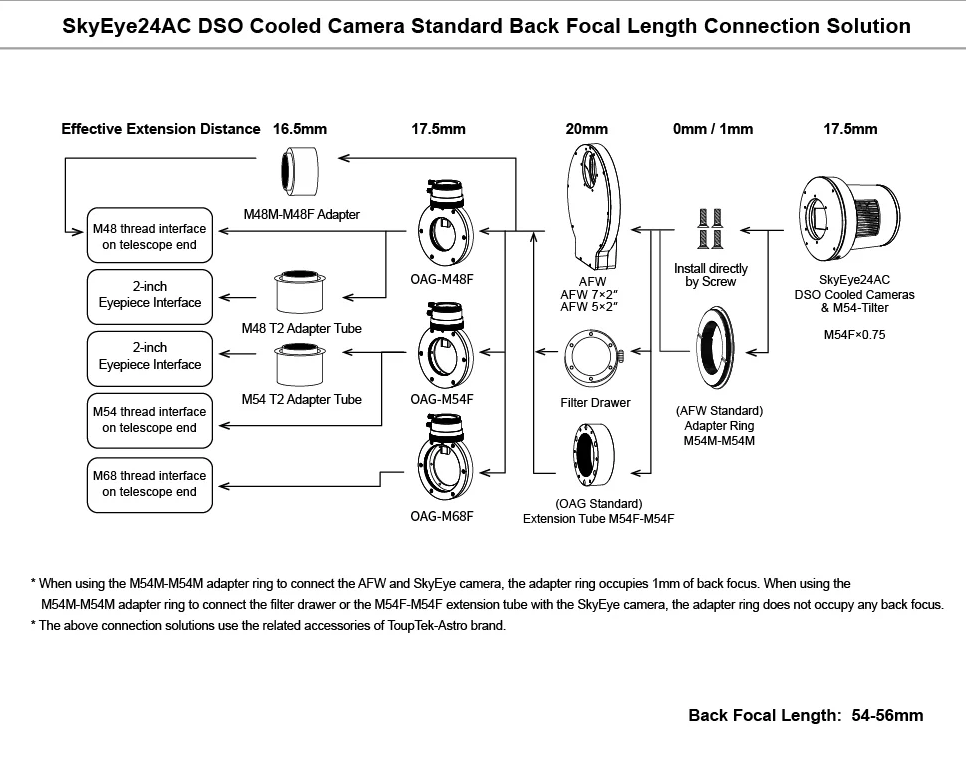
Connection Solutions
Other Information
- Country of Manufacture: China
ToupTek M54 Tilter: An Ideal Companion for the SkyEye Camera Series
Engineered specifically for the entire SkyEye series (including the SkyEye62AM/AC and SkyEye24AC), this high-quality aluminum alloy adjustment ring features a robust, precision-machined design for long-term stability and a four-point CMOS alignment system that ensures high-precision sensor orthogonal tuning; it also integrates a central "0" scale alongside intuitive alignment guide lines to deliver a significantly wider, more effortless adjustment range and a seamless installation experience.
Installation Steps
Standard Back-Focus Installation Steps for SkyEye62AM/AC DSO Cooled Full-Frame Camera. Inspect the M54-Tilter, SkyEye62AM/AC camera body, and screw holes.
Remove the 5mm back-focal adapter from the SkyEye62AM/AC camera and slightly adjust the tightness of the M54-Tilter screws to facilitate assembly with the camera.
Assemble the M54-Tilter and the SkyEye62AM/AC camera. Align the M54-Tilter with the camera body, ensuring the central "0" scale and camera guide lines match. Tighten the screws to secure the components.
Reinstall the SkyEye62AM/AC camera's 5mm back-focal adapter, completing the assembly of the M54-Tilter and the camera, ensuring everything is securely attached.
Assemble the M54-Tilter and the SkyEye24AC camera. Align the M54-Tilter with the camera, ensuring the central "0" scale and camera guide lines match. Tighten the screws to secure the components, completing the assembly of the M54-Tilter and camera, ensuring everything is securely attached.
Mechanical Dimensions
Connection Solutions
- 1x M54 Tilt adapter
ToupTek M54 Tilter: An Ideal Companion for the SkyEye Camera Series
Engineered specifically for the entire SkyEye series (including the SkyEye62AM/AC and SkyEye24AC), this high-quality aluminum alloy adjustment ring features a robust, precision-machined design for long-term stability and a four-point CMOS alignment system that ensures high-precision sensor orthogonal tuning; it also integrates a central "0" scale alongside intuitive alignment guide lines to deliver a significantly wider, more effortless adjustment range and a seamless installation experience.
Installation Steps
Standard Back-Focus Installation Steps for SkyEye62AM/AC DSO Cooled Full-Frame Camera. Inspect the M54-Tilter, SkyEye62AM/AC camera body, and screw holes.
Remove the 5mm back-focal adapter from the SkyEye62AM/AC camera and slightly adjust the tightness of the M54-Tilter screws to facilitate assembly with the camera.
Assemble the M54-Tilter and the SkyEye62AM/AC camera. Align the M54-Tilter with the camera body, ensuring the central "0" scale and camera guide lines match. Tighten the screws to secure the components.
Reinstall the SkyEye62AM/AC camera's 5mm back-focal adapter, completing the assembly of the M54-Tilter and the camera, ensuring everything is securely attached.
Assemble the M54-Tilter and the SkyEye24AC camera. Align the M54-Tilter with the camera, ensuring the central "0" scale and camera guide lines match. Tighten the screws to secure the components, completing the assembly of the M54-Tilter and camera, ensuring everything is securely attached.
Mechanical Dimensions
Connection Solutions
Other Information
- Country of Manufacture: China
- 1x M54 Tilt adapter

ToupTek M54 Tilter for SkyEye Cameras